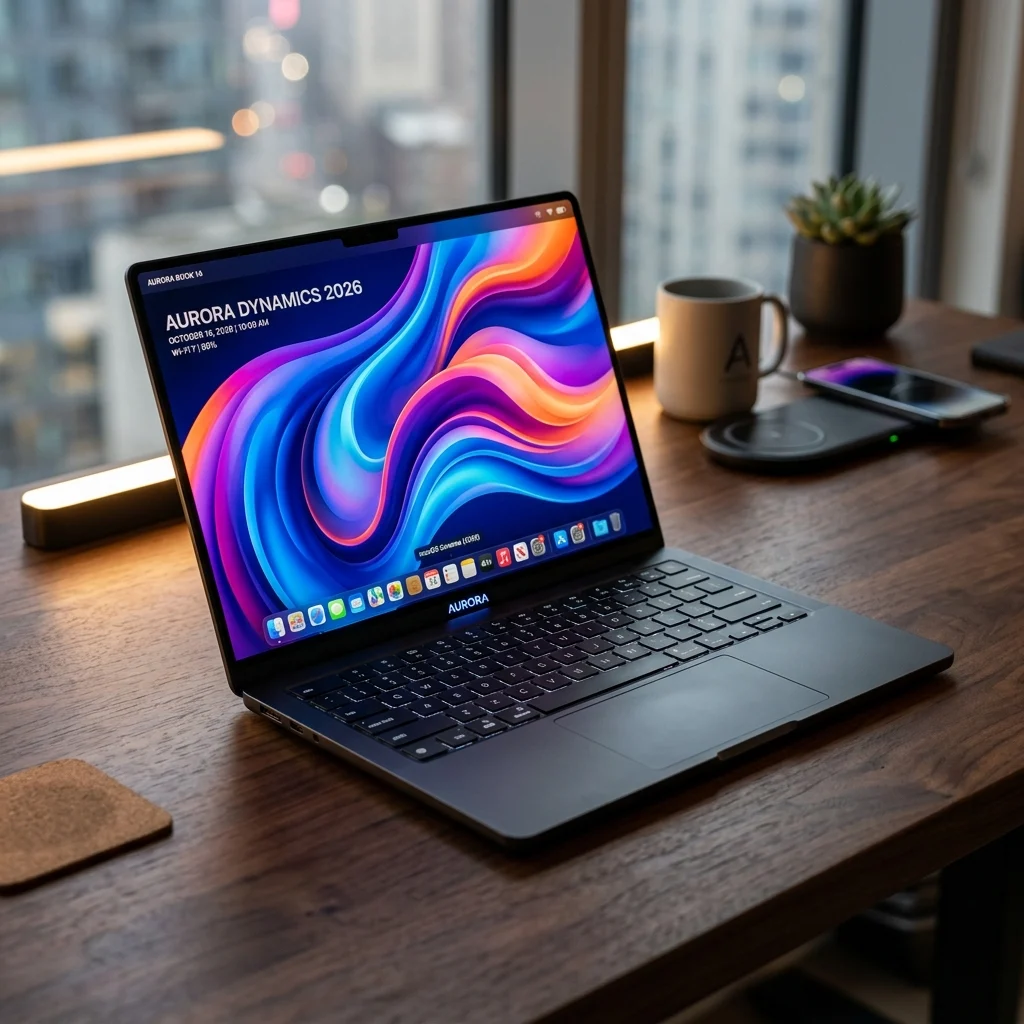
Buying your first best laptop for college students on a budget is a crucial decision for any academic journey. With four years of lectures, coding assignments, research papers, video calls, and evening streaming ahead, picking the right device determines how smoothly your college routine runs. Every major tech brand claims their ₹30,000 to ₹50,000 notebook is “perfect for students,” making spec sheets blur together after browsing dozens of tabs. We evaluated what is genuinely available in India today to highlight five budget laptops that deliver real-world performance, reliable battery life, and long-term durability.
⚡ Executive Summary: Top Student Laptop Picks
- Tightest Budget Pick: Acer Aspire Lite (Rs. 32,999) — Delivers core Intel i3 performance and 512GB SSD storage for essential coursework without unnecessary fluff.
- Portability & Campus Commute: ASUS Vivobook Go 14 (2026) (~Rs. 38,000) — Featherweight 1.38kg chassis with sleek ergonomics for carrying between lecture halls all day.
- Overall Best Value (Sweet Spot): HP 15s Ryzen 5 (~Rs. 44,990) — Smooth hexa-core AMD processing paired with nationwide HP service center support.
- Engineering & Heavy Multitasking: Lenovo IdeaPad Slim 3 (Rs. 62,990) — Out-of-the-box 16GB RAM headroom for running IDEs, virtual machines, and multiple browser windows simultaneously.
- Creative & Visual Arts Stretch: Motorola Moto Book 60 (Rs. 66,990) — Gorgeous 2.8K 120Hz OLED display offering color-accurate output for design and video editing majors.
Disclosure: TechMorphix evaluates products independently. When you buy through affiliate links on our site, we may earn an affiliate commission at zero additional cost to you.
How We Selected the Best Budget Laptops for Students
Choosing the ideal student notebook requires balancing hardware power against practical daily usability. Rather than chasing raw benchmarks alone, we prioritized five core criteria during our evaluation:
- SSD Storage standard: We strictly excluded legacy Mechanical HDDs, ensuring 512GB NVMe SSD storage across all selections for sub-10-second boot times.
- RAM Headroom: Minimum 8GB system RAM to prevent memory swapping under multi-tab browser workloads.
- Display Quality & Comfort: Full HD (1080p) anti-glare screens to reduce eye strain during extended night studying.
- Keyboard Ergonomics & Build: Comfortable key travel and durable hinges capable of surviving daily backpack transit.
- After-Sales Service Infrastructure: Widespread service center coverage across Indian metros and Tier-2 cities.
1. Acer Aspire Lite — Best for the Tightest Budget
If your primary requirement is keeping expenses under ₹35,000 while maintaining punchy daily performance, the Acer Aspire Lite is the most pragmatic starting point. Designed with a clean metal-like finish and thin side bezels, it looks considerably more expensive than its Rs. 32,999 price tag suggests. For full device verification and specs, you can explore the official Acer India portal.
| Specification Component | Acer Aspire Lite Details |
|---|---|
| Processor | Intel Core i3-1215U (6 Cores, up to 4.4GHz) |
| RAM | 8GB DDR4 (Expandable up to 32GB) |
| Storage | 512GB NVMe PCIe Gen3 SSD |
| Display | 15.6-inch Full HD (1920×1080) Anti-glare TFT LCD |
| Graphics | Intel UHD Graphics |
| Weight & Build | 1.59 kg, Steel Gray finish |
| Price | Rs. 32,999 |
The 12th-Gen Intel Core i3-1215U combines two performance cores with four efficiency cores. This hybrid architecture ensures Microsoft Office apps, PDF readers, and Google Classroom tabs run without unexpected lag. Crucially, Acer provides an accessible SODIMM slot, meaning you can easily upgrade to 16GB RAM in your second year for under ₹2,000 if your software demands grow.
| Pros (What Works Well) | Cons (Things to Keep in Mind) |
|---|---|
| ✅ Unbeatable entry price tag of Rs. 32,999. | ❌ Average 4.5-hour battery endurance. |
| ✅ User-upgradable RAM slots up to 32GB. | ❌ Standard mono-speaker output quality. |
| ✅ Fast 512GB NVMe SSD included as base storage. | ❌ Plastic bottom shell construction. |
📦 Check Price — Acer Aspire Lite
💡 View live prices, exchange offers & bank discounts on Amazon India.
2. ASUS Vivobook Go 14 (2026) — Best for Portability
For students who sprint across campus between lectures or work out of library stalls, laptop weight becomes a non-negotiable factor. Weighing just 1.38kg, the ASUS Vivobook Go 14 (2026) is lightweight enough to carry all day without shoulder fatigue. You can also explore our roundup of the best laptops in 2026 for comparison. Further details are accessible on the ASUS India official store.
| Specification Component | ASUS Vivobook Go 14 (2026) Details |
|---|---|
| Processor | AMD Ryzen 3 7320U (4 Cores, 8 Threads) |
| RAM | 8GB LPDDR5 High-Speed Memory |
| Storage | 512GB PCIe 4.0 NVMe M.2 SSD |
| Display | 14.0-inch Full HD (1920×1080) 60Hz 16:9 aspect ratio |
| Battery & Charging | 42Wh Lithium-ion, 45W AC fast adapter (60% in 49 mins) |
| Durability Rating | MIL-STD-810H Military-grade toughness |
| Price | ~Rs. 38,000 |
The standout advantage of the Vivobook Go 14 is its energy-efficient Ryzen 3 7320U processor built on TSMC’s 6nm process. Paired with LPDDR5 RAM, the machine draws minimal power, stretching real-world battery life to roughly 6.5 to 7 hours of standard document editing and Wi-Fi web browsing. Additionally, ASUS includes a 180-degree lay-flat hinge, making group discussion sessions around study tables seamless.
| Pros (What Works Well) | Cons (Things to Keep in Mind) |
|---|---|
| ✅ Extremely lightweight 1.38kg ultraportable chassis. | ❌ Soldered LPDDR5 RAM cannot be upgraded later. |
| ✅ MIL-STD-810H military durability certification. | ❌ 14-inch display area might feel cozy for dual-window splits. |
| ✅ Rapid fast charging (60% charge in 49 minutes). | ❌ Basic 720p webcam without privacy shutter. |
📦 Check Price — ASUS Vivobook Go 14
💡 View live prices, exchange offers & bank discounts on Amazon India.
3. HP 15s Ryzen 5 — The Sweet Spot Pick for Most Students
If you ask tech consultants which laptop offers the safest long-term investment under ₹45,000, the HP 15s Ryzen 5 tops the list. Stepping up to AMD’s 6-core Ryzen 5 5500U provides noticeable processor headroom over quad-core alternatives. If you are comparing mid-range options, check our round-up on the best laptops under 50,000 in India. Official support details are hosted on the HP India Store platform.
| Specification Component | HP 15s Ryzen 5 Details |
|---|---|
| Processor | AMD Ryzen 5 5500U (6 Cores, 12 Threads, 8MB Cache) |
| RAM | 8GB DDR4-3200 MHz (Dual-channel support) |
| Storage | 512GB PCIe NVMe M.2 SSD |
| Display | 15.6-inch FHD (1920×1080), Micro-edge, 250 nits |
| Graphics | AMD Radeon Graphics (7 Core iGPU) |
| Keyboard | Full-size Natural Silver Keyboard with Numeric Keypad |
| Price | ~Rs. 44,990 |
Having 12 processing threads means the HP 15s effortlessly juggles background apps, Spotify playback, Excel spreadsheets, and heavy browser research without stutters. Furthermore, HP’s extensive service network spanning Tier-1, Tier-2, and Tier-3 Indian cities provides peace of mind when exam week approaches and quick turnaround times matter.
| Pros (What Works Well) | Cons (Things to Keep in Mind) |
|---|---|
| ✅ Powerful 6-core Ryzen 5 performance for sub-₹45k price. | ❌ Plastic chassis body prone to flex when pressed hard. |
| ✅ Dedicated full-size numeric keypad for accounting/finance. | ❌ Display brightness maxes out at 250 nits (indoor focused). |
| ✅ Exceptional nationwide service center density in India. | ❌ Non-backlit keyboard on base configuration. |
📦 Check Price — HP 15s Ryzen 5
💡 View live prices, exchange offers & bank discounts on Amazon India.
4. Lenovo IdeaPad Slim 3 (Ryzen 5, 16GB) — Best for Engineering & Coding
Engineering students, computer science majors, and data analytics scholars face computing demands that quickly overwhelm 8GB RAM laptops. When compiling code in VS Code, launching Docker containers, or running Android Studio emulators, 16GB RAM is essential. The Lenovo IdeaPad Slim 3 delivers this out-of-the-box performance headroom. Product catalog details can be checked at the official Lenovo India portal.
| Specification Component | Lenovo IdeaPad Slim 3 Details |
|---|---|
| Processor | AMD Ryzen 5 (7000-series platform) |
| RAM | 16GB Soldered LPDDR5 RAM |
| Storage | 512GB SSD M.2 2242 PCIe 4.0 NVMe |
| Display | 15.6-inch FHD (1920×1080) IPS, 300 nits, Anti-glare |
| Audio & WebCam | User-facing Dolby Audio speakers, HD 720p with Privacy Shutter |
| Weight & Slimness | 1.62 kg, 17.9mm ultra-slim profile |
| Price | Rs. 62,990 (often available near Rs. 52,000 on student offers) |
With 16GB RAM, system memory swapping is practically eliminated. You can leave two dozen StackOverflow and documentation tabs open alongside heavy development IDEs without experiencing UI stutters. Lenovo also equips this model with a physical camera privacy shutter and a crisp 300-nit IPS display panel, making outdoor study sessions under shaded lawns viable.
| Pros (What Works Well) | Cons (Things to Keep in Mind) |
|---|---|
| ✅ 16GB RAM eliminates lag during heavy coding/multitasking. | ❌ Higher upfront cost compared to 8GB entry options. |
| ✅ Bright 300-nit IPS panel with anti-glare coating. | ❌ Integrated GPU is not designed for AAA 60fps gaming. |
| ✅ Integrated web camera physical privacy shutter. | ❌ Type-C port supports data & power delivery but not Thunderbolt 4. |
📦 Check Price — Lenovo IdeaPad Slim 3
💡 View live prices, exchange offers & bank discounts on Amazon India.
5. Motorola Moto Book 60 — Best Display for Creative Majors
If your course revolves around media creation, digital marketing, graphic design, photography, or video production, screen color accuracy takes precedence over everything else. The Motorola Moto Book 60 stands out in this budget tier by featuring a breathtaking 2.8K 120Hz OLED screen. To learn more about modern high-refresh display platforms, explore our analysis of the Acer Swift 16 AI review.
| Specification Component | Motorola Moto Book 60 Details |
|---|---|
| Processor | Intel Core 5 210H (12 Cores, 16 Threads) |
| RAM | 16GB DDR5 High-Speed RAM |
| Storage | 512GB PCIe Gen4 SSD |
| Display | 14.0-inch 2.8K (2880×1800) 120Hz OLED, 100% DCI-P3, 500 nits Peak |
| Battery & Charging | 60Wh Battery, 65W Fast Type-C Adapter |
| Chassis Build | All-Metal Aluminum Body, 1.40 kg |
| Price | Rs. 66,990 |
The 2.8K OLED screen displays true blacks and 100% DCI-P3 color gamut coverage, ensuring color accuracy in Photoshop, Illustrator, or Premiere Pro. Beyond the display, the all-metal chassis delivers premium durability that withstands daily college commute wear.
| Pros (What Works Well) | Cons (Things to Keep in Mind) |
|---|---|
| ✅ Stunning 2.8K 120Hz OLED panel with 100% DCI-P3 colors. | ❌ OLED high refresh rate draws higher battery during max brightness. |
| ✅ Premium aluminum metal unibody build quality. | ❌ Premium pricing tier stretching standard entry budgets. |
| ✅ 12-Core Intel Core 5 210H computing power. | ❌ Compact 14-inch layout lacks dedicated numeric pad. |
📦 Check Price — Motorola Moto Book 60
💡 View live prices, exchange offers & bank discounts on Amazon India.
📊 Comparison Matrix: Which Student Laptop Fits Your Budget?
| Laptop Model | Price (INR) | RAM & Storage | Display Type | Best Suited Academic Use |
|---|---|---|---|---|
| Acer Aspire Lite | Rs. 32,999 | 8GB / 512GB SSD | 15.6″ FHD Anti-Glare | Humanities, Commerce, General Coursework |
| ASUS Vivobook Go 14 | ~Rs. 38,000 | 8GB / 512GB SSD | 14.0″ FHD Portable | Campus Commuters, Daily Travelling Students |
| HP 15s Ryzen 5 | ~Rs. 44,990 | 8GB / 512GB SSD | 15.6″ FHD Micro-Edge | Overall Best Value — Most College Students |
| Lenovo IdeaPad Slim 3 | Rs. 62,990 | 16GB / 512GB SSD | 15.6″ FHD 300 nits IPS | Engineering, Computer Science, Data Coding |
| Motorola Moto Book 60 | Rs. 66,990 | 16GB / 512GB SSD | 14.0″ 2.8K 120Hz OLED | Graphic Design, Architecture, Film & Editing |
Should You Buy Now or Wait for E-Commerce Sales?
Major Indian festive shopping events—such as Flipkart Big Billion Days and Amazon Great Indian Festival—typically run during September and October, delivering price drops of 10% to 15% alongside bank card instant discounts. If your semester start allows a 4-to-6-week window, holding out can yield extra savings. However, if active classes start immediately, options like the Acer Aspire Lite and HP 15s Ryzen 5 offer solid baseline pricing that justifies immediate purchase without delay. If your academic work includes gaming or 3D rendering, explore our curated list of the best gaming laptops in India for high-performance GPU hardware.
❓ Frequently Asked Questions (PAA Answers)
Q1: What is the best budget laptop for college students in India?
Answer: For most students, the HP 15s Ryzen 5 (around Rs. 44,990) offers the optimal balance of 6-core processing performance, 512GB SSD speed, and reliable nationwide HP service support. Students on strict budgets under ₹35,000 should opt for the Acer Aspire Lite.
Q2: Is 8GB RAM enough for a college laptop?
Answer: Yes, 8GB RAM easily handles web browsing with 15+ tabs open, document creation, Zoom calls, and media streaming. However, students pursuing computer science, engineering, or visual design should aim for 16GB RAM to run IDEs and virtual machines without memory swapping.
Q3: Which laptop is best for engineering students on a budget?
Answer: The Lenovo IdeaPad Slim 3 (Ryzen 5, 16GB RAM) is ideal for engineering students. The pre-installed 16GB RAM handles compilers, CAD-lite tools, and multi-window coding workflows without thermal throttling or slowdowns.
Q4: Is it better to buy a laptop with SSD or HDD for college?
Answer: Always choose an SSD (Solid State Drive) over a mechanical HDD. An SSD boots Windows 11 in under 10 seconds and keeps application loading instantaneous, whereas mechanical HDDs become major system bottlenecks within the first year of use.
Q5: Should students buy a laptop with a dedicated graphics card?
Answer: Most college students do not require a dedicated GPU unless studying 3D animation, game development, or heavy 4K video rendering. Modern integrated graphics (AMD Radeon 610M / Intel UHD) easily handle 1080p video playback, photo editing, and casual light gaming.
Final Verdict: Choosing Your Ideal College Companion
Selecting the best laptop for college students on a budget comes down to matching hardware specs with your specific field of study. If budget control is paramount, the Acer Aspire Lite (Rs. 32,999) delivers exceptional value. For everyday reliability, the HP 15s Ryzen 5 remains the sweet spot pick. Meanwhile, engineering majors and creative design students will benefit greatly from investing in 16GB RAM models like the Lenovo IdeaPad Slim 3 or Motorola Moto Book 60 for long-term academic success in 2026.