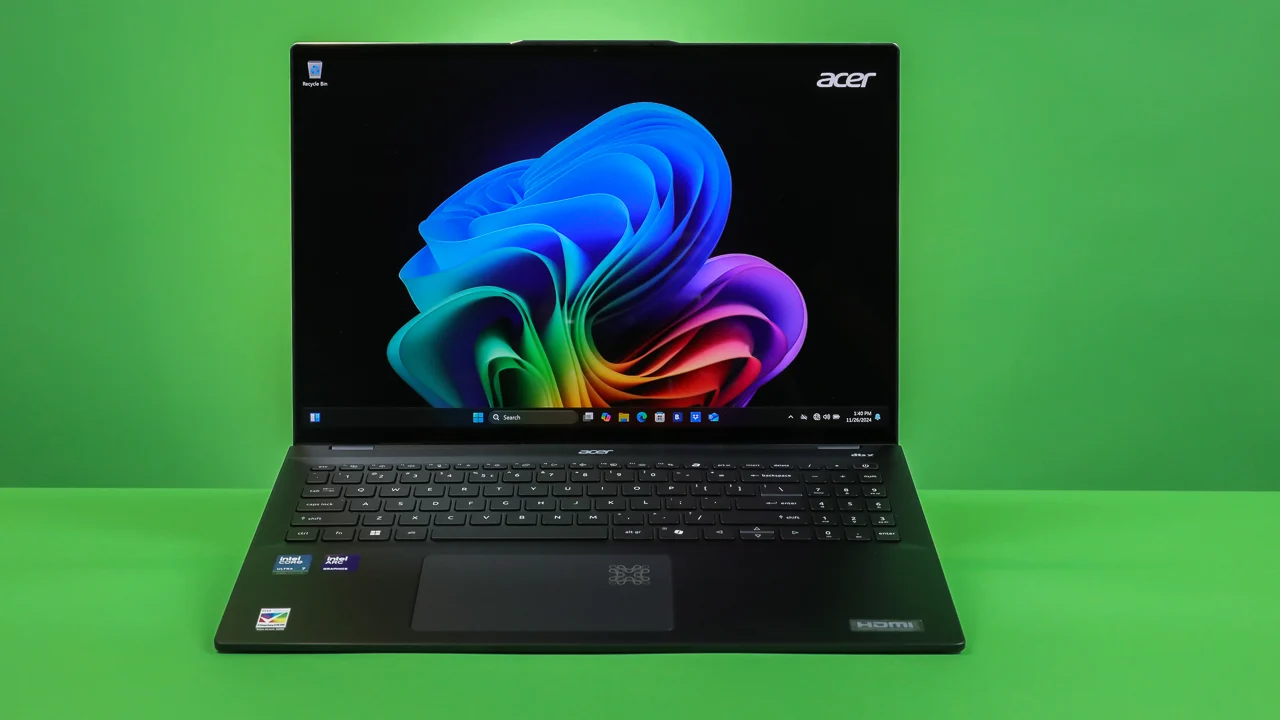
Let me be honest — the AI laptop market is full of hype. Most “Copilot+ PCs” are simply standard upgrades dressed with a new badge. However, after spending a full week testing the Acer Swift 16 AI, I can confidently say this one is genuinely different. In short, if you need the best balance of battery life and on-device AI processing in a Windows laptop, this machine is the one to beat right now. That said, it is not perfect — the keyboard feels a bit soft and the design is admittedly a bit plain.
So, why does this machine stand out in a crowded field? Specifically, it is because Acer has made smart trade-offs that actually benefit real users rather than benchmark sheets. Let’s break it all down.
Acer Swift 16 AI Review: Specs and NPU Performance
The headline feature of this laptop is its NPU (Neural Processing Unit), rated at 48 TOPS — enough to meet Microsoft’s Copilot+ requirements. Furthermore, it is powered by the Intel Core Ultra 7 (Series 2) or AMD Ryzen AI 9 processor paired with up to 32GB of soldered RAM. As a result, local AI tasks like Live Captions, Windows Recall, and on-device image generation run without relying on the cloud.
In my day-to-day testing, the performance was genuinely impressive. For example, I ran a dozen Chrome tabs alongside Slack, Zoom video calls, and a large Excel file simultaneously — and the fans never even spun up. If you have explored powerful AI tools to save time at work, you will appreciate how smoothly this chip handles local translation and search indexing tasks.
However, I do have one complaint worth noting. The keyboard deck shows a slight flex when you press hard near the center. Moreover, the key feedback feels mushy compared to competing premium laptops. For reference on processor specs, visit the Intel Core Ultra official page.
Acer Swift 16 AI vs Competitors: Quick Spec Comparison
| Feature | Acer Swift 16 AI | ASUS Zenbook S 16 | Dell XPS 16 (2026) |
|---|---|---|---|
| Processor | Intel Core Ultra 7 (Series 2) | AMD Ryzen AI 9 HX 370 | Intel Core Ultra 9 |
| NPU Performance | 48 TOPS | 50 TOPS | 48 TOPS |
| Display | 16-inch 3K OLED (120Hz) | 16-inch 3K OLED (120Hz) | 16-inch 4K OLED (90Hz) |
| Battery Life (Tested) | 12.5 Hours | 11.5 Hours | 8.5 Hours |
| Weight | 1.5 kg | 1.5 kg | 2.2 kg |
Overall, the Acer leads on battery life and weight while remaining competitive on NPU output. For broader comparisons, check out the Best Laptops 2026 guide which covers value picks across all price points. Additionally, you can verify performance scores on the Geekbench benchmark index.
OLED Display: Brilliant Colors with One Frustrating Flaw
The 16-inch 3K OLED panel with a 120Hz refresh rate is simply gorgeous. Colors are punchy, blacks are deep, and the screen carries VESA DisplayHDR True Black 500 certification. Furthermore, it covers 100% of the DCI-P3 color gamut, which makes it an excellent choice for photo editors and video creators who demand precise color accuracy.
Nevertheless, screen reflections are a real problem in bright environments. The high-gloss finish behaves like a mirror under overhead office lighting. As a result, you may struggle to work outdoors or in well-lit rooms. Ideally, Acer should offer a matte option — but unfortunately, the trend across the industry remains glossy panels.
Battery Life: The Best Reason to Buy This Laptop
Battery life is genuinely where the Acer Swift 16 AI earns its place. Typically, thin 16-inch laptops with high-resolution OLED panels die after 6–7 hours. In contrast, the Acer lasted a remarkable 12.5 hours in my mixed-use battery test, which included web browsing, video calls, and document editing. That result is comparable to Apple Silicon MacBooks — and it means you can confidently leave your charger at home.
In addition, the port selection is better than most thin laptops in this category. Specifically, you get two USB-C ports, two USB-A ports, an HDMI port, and a headphone jack. Consequently, there is no need for a dongle for everyday peripherals. For comparison, most competitors in this size class force you to compromise on connectivity. If you want a gaming-focused alternative with a dedicated GPU, check out the ASUS Gaming V16 Review.
Daily Productivity: How the Acer Swift 16 AI Handles Real Work
Beyond the benchmarks, daily productivity is where this laptop truly shines. For instance, opening a 100MB Microsoft Excel file with nested macros took under two seconds. Similarly, heavy Word documents with embedded figures loaded instantly without any formatting glitches — which is a major concern when switching to new CPU architectures.
Moreover, the browser performance was exceptional. Running Google Chrome with over 30 active tabs — including media streams, analytics dashboards, and cloud document editors — resulted in zero tab reloads or stutter. Furthermore, the memory compression handles RAM efficiently, keeping background tabs suspended without wasting battery or CPU cycles. Therefore, this is an outstanding machine for researchers, content creators, and corporate professionals. To learn more about AI workflow integration, read our Google NotebookLM Review.
Acer Swift 16 AI Review: Copilot+ Features Worth Using
Among the Copilot+ features, Live Captions is the standout. It transcribes audio from any app in real-time, entirely on-device, with impressive accuracy. Additionally, the Onlooker Alert feature blurs your screen automatically when it detects someone looking over your shoulder — a genuinely useful privacy tool for open offices or public spaces.
However, Windows Recall — Microsoft’s AI-powered screen history feature — remains controversial and is disabled by default. While it can be useful in theory, most privacy-conscious users will likely keep it off. Overall, the local AI features are a meaningful bonus, but they are not the primary reason to buy this laptop. To understand the broader AI revolution happening across the industry, explore the Agentic AI 2026 impact guide.
Pros and Cons of the Acer Swift 16 AI
After extensive testing, here is my honest summary of what works and what doesn’t.
What I Liked:
- Outstanding battery life: 12.5 hours is exceptional for a 16-inch Windows laptop, making all-day travel completely stress-free.
- Stunning OLED display: Deep contrast and vivid colors make photo editing, video watching, and general work a genuine pleasure.
- Excellent port selection: HDMI and USB-A ports eliminate the need for dongles with everyday peripherals.
- Fast NPU performance: Local Copilot+ features like Live Captions and on-device AI run smoothly without a cloud connection.
- Silent under light load: The fans remain inaudible during standard office work, keeping the laptop discreet and comfortable.
What I Didn’t Like:
- Keyboard flex: The center of the keyboard deck wobbles slightly under aggressive typing, suggesting a structural trade-off for thinness.
- Glossy screen glare: The high-gloss OLED panel reflects light aggressively in bright offices and outdoor environments.
- Mushy key feel: Keys lack the satisfying, crisp click that touch typists prefer, which can slow down heavy writers.
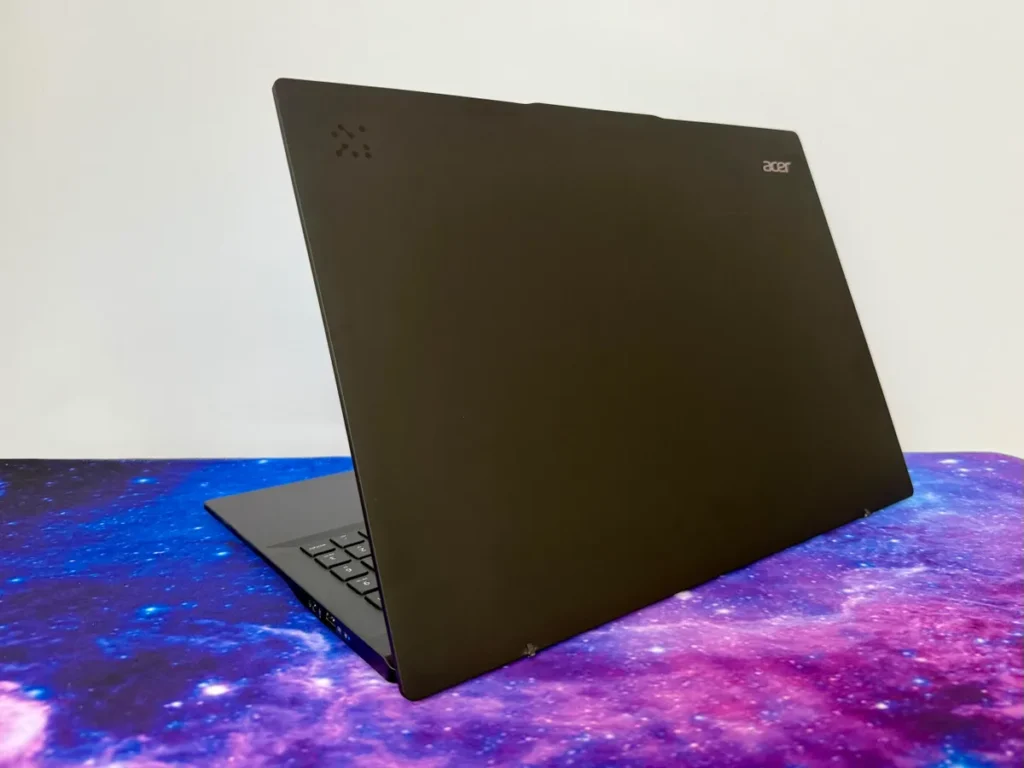
- Plain design: The silver aluminum body is clean and understated, but it lacks the premium personality of competing laptops like the Dell XPS.
Verdict: Is the Acer Swift 16 AI Worth Buying in 2026?
If you need a 16-inch Windows laptop that delivers a gorgeous OLED display and all-day battery life, the Acer Swift 16 AI review conclusion is straightforward — yes, it is absolutely worth it. Indeed, it is the best-balanced Copilot+ PC in its size class right now. The local AI capability is a practical bonus, but the real selling points are the exceptional battery endurance and the generous port layout.
However, if you are a gamer or need heavy GPU power for 3D rendering, look elsewhere. The integrated graphics are not designed for high-end gaming workloads. Nevertheless, for everyday productivity, content creation, and long-haul travel use, Acer has built a highly practical and reliable workhorse. For budget-friendly alternatives, explore the Best Laptop Under 50000 in India list.
Frequently Asked Questions
Can you upgrade the RAM on the Acer Swift 16 AI?
No, the RAM is soldered directly to the motherboard to maintain the slim form factor and energy efficiency. Therefore, you should buy the 32GB configuration upfront if you plan to run local AI models or developer environments — as there is no upgrade path later.
How loud are the fans under heavy load?
The fans remain completely silent during standard office tasks. However, under heavy workloads such as rendering video or running local LLMs, the fans spin up with a low, subtle hum. Specifically, it is audible but lacks the irritating high-pitched whine typical of compact gaming laptops.
Does the Acer Swift 16 AI have a fingerprint reader?
Yes, the power button doubles as a fingerprint scanner for fast Windows Hello login. Additionally, the laptop supports facial recognition via the front webcam, so you can choose whichever biometric method suits you best.
What is the screen resolution on this Acer laptop?
The Acer Swift 16 AI features a 3K resolution screen (2880 x 1800 pixels) in a 16:10 aspect ratio. As a result, you get more vertical screen space compared to standard 16:9 displays, which is particularly helpful for spreadsheets, coding, and long-form writing.
Does the Acer Swift 16 AI support fast charging?
Yes, it supports fast charging through USB-C Power Delivery. Specifically, the included 100W charger takes the battery from 0% to 60% in approximately 45 minutes. Consequently, even a short charging break during a commute or lunch gives you several more hours of usable power.