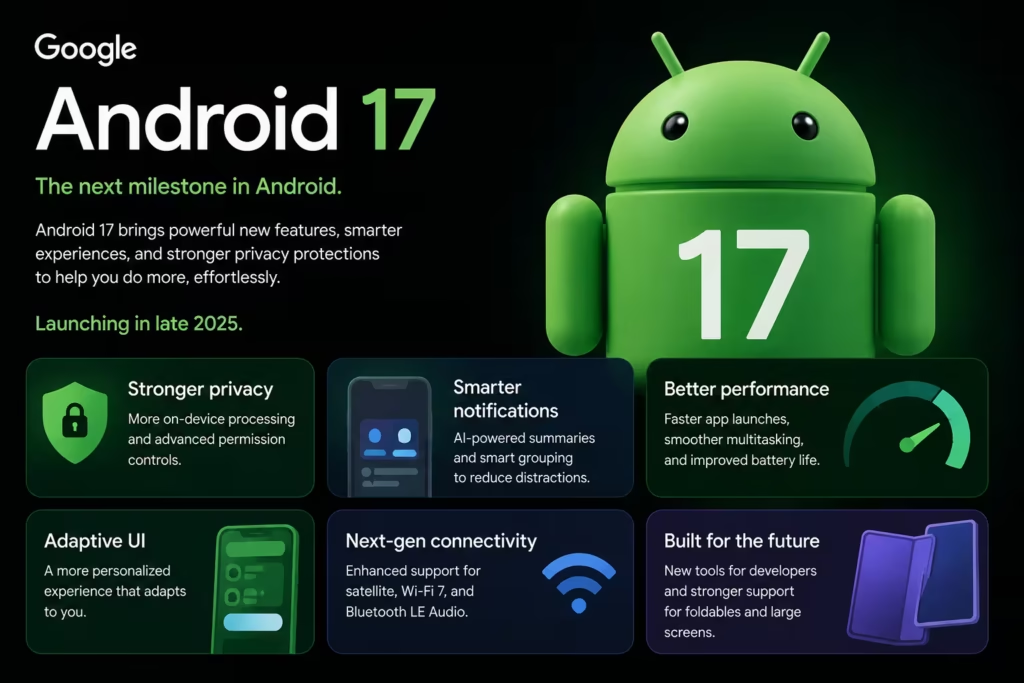
Android 17: 7 Powerful New Features That Are Simply Amazing
Every year brings a new Android update. The Android 17 features arriving this year, however, feel more useful than most. Google released the update on June 16, 2026 for Pixel devices. Most updates bring small changes. Indeed, many people never notice them. However, Android 17 feels different. Google is focusing on things people use every day. This is not a huge redesign. Your phone will not look completely different. Instead, these Android 17 features make Android smarter and easier to use. For a full breakdown of the codename and timeline, see our Android 17 Cinnamon Bun complete breakdown. Android 17 Features: Smarter AI Built Into the OS AI is now at the center of Google’s plans. With Android 17, Gemini AI is built into the OS. You no longer need a separate app. Instead, AI helps you search, organize, and act on your phone. According to Google’s official Android blog, advanced Gemini features arrive later in summer 2026. For many users, this is the biggest long-term change in the Android 17 features list. Plus, it is only getting started. To see how AI is also changing Android cameras, check out our guide on AI camera features on Android 2026. Multitasking Gets a Big Upgrade One of the best Android 17 features is called App Bubbles. Think of them as mini app windows. They stay on screen while you use other apps. On larger screens, they dock in a Bubble Bar at the bottom. As a result, switching apps feels much faster. You can also read more in Android’s official developer docs. For example, keep WhatsApp open while watching YouTube. Also, jump back to Chrome with one tap. This is especially useful on foldable phones and tablets. Security That Works in the Background Most people do not read security update notes. That is understandable. However, Android 17 has some of the best security upgrades yet. Google added stronger anti-theft tools. It also added better scam detection. Plus, privacy controls are now easier to use. You may never notice these features working. However, that is how good security should work. It protects you without getting in the way. Screen Reactions for Content Creators Making reaction videos used to need many apps. Not anymore. Among the Android 17 features for creators, Screen Reactions stands out. It lets you record your screen and show your face at the same time. Your front camera adds your reaction as a small overlay. As a result, you capture everything in one session. This is great for YouTubers, teachers, and gamers. Also, social media creators will save a lot of time. A Fresh New Look: Material 3 Expressive Android 17 also brings a new design called Material 3 Expressive. You will notice it right away. The alert bar now has a frosted glass look. Quick settings and volume bars look cleaner. Also, you can hide app name labels on your home screen. Each app can also have its own dark theme. Overall, the phone feels more polished. This same design is seen in the Samsung One UI 9 update for Galaxy S26. Gaming Gets Better Too Mobile gaming grows every year. Android 17 keeps up with that growth. Google added a Foldable Gaming Mode. It uses the outer screen as a touch pad. Also, game controller options are now built in. As a result, games run more smoothly on foldable and high-end phones. These changes may look small. However, gamers notice even tiny gains in speed and response. Performance You Will Feel Every Day Many Android updates add new features. However, the Android 17 features also improve what already exists. Google now limits how much memory each app can use. As a result, apps launch faster and run smoother. Plus, battery life gets better on supported phones. In short, your phone will feel better to use every single day. Foldables and Tablets Get More Love Foldable phones are no longer a niche product. Samsung, Google, OnePlus, and Honor all push larger screens. Android 17 supports these with better layouts and smart tools. For top foldable options, read our full Motorola Razr Fold vs Galaxy Z Fold 7 comparison. Indeed, foldable users will benefit most from Android 17 features like App Bubbles and Gaming Mode. Switching From iPhone Is Now Much Easier Android 17 also has a better tool for switching from iPhone. The Android Switch tool moves your texts, passwords, and Wi-Fi data. No cable is needed. Plus, it also moves your RCS and iMessage history. Android Central confirmed it worked well in testing. Overall, this removes the biggest reason people held off from switching from iOS. Which Phones Will Get Android 17? Google Pixel phones get the update first. The Pixel 6 and newer are all supported. You can check the full list on Google’s official Pixel devices page. Also, Samsung, Xiaomi, OnePlus, OPPO, Vivo, Honor, and Motorola will all get the Android 17 features update. However, each brand sets its own schedule. In general, if your phone launched in the last two years, it will likely get the update. Is Android 17 Worth Updating To? For most users, the answer is yes. Android 17 does not change everything. However, it improves the things you use most. You get smarter AI, stronger security, better task switching, and a cleaner look. Instead of a full redesign, Google refined Android. And for most users, that is exactly what was needed. For the best phones running these Android 17 features, see our best smartphones of mid-2026 list. Frequently Asked Questions What are the biggest Android 17 features? The biggest Android 17 features include Gemini AI, App Bubbles, Screen Reactions, Material 3 design, stronger security, gaming upgrades, and better foldable support. Is Android 17 available now? Yes. Android 17 rolled out on June 16, 2026 for Google Pixel phones. Also, other brands will follow through the rest of 2026. Which phones support Android 17? Google Pixel 6 and newer get it first. Also, Samsung, Xiaomi, OnePlus, OPPO, Vivo, Honor, and Motorola phones are expected to follow. Does Android 17 improve battery life? Yes. The Android 17 features include tighter memory limits that help improve battery life on most phones. Should I update to Android 17? Yes, if your phone is eligible. Android 17 features include security fixes, AI tools, better speed, and improved task switching. What is Android 17’s codename? Android 17’s codename is Cinnamon Bun. Google has used dessert names for Android versions for many years. Does Android 17 have a new design? Yes. Android 17 has Material 3 Expressive. It adds a frosted glass look to the alert bar and quick settings for a cleaner feel.
